Make any Google Sheet email you what needs you.
Cellsmith Alerts checks your sheet on the days and hour you pick. Then it emails you only the rows that need you: overdue invoices, low stock, renewals, tasks gone quiet. Nothing to report means no email.
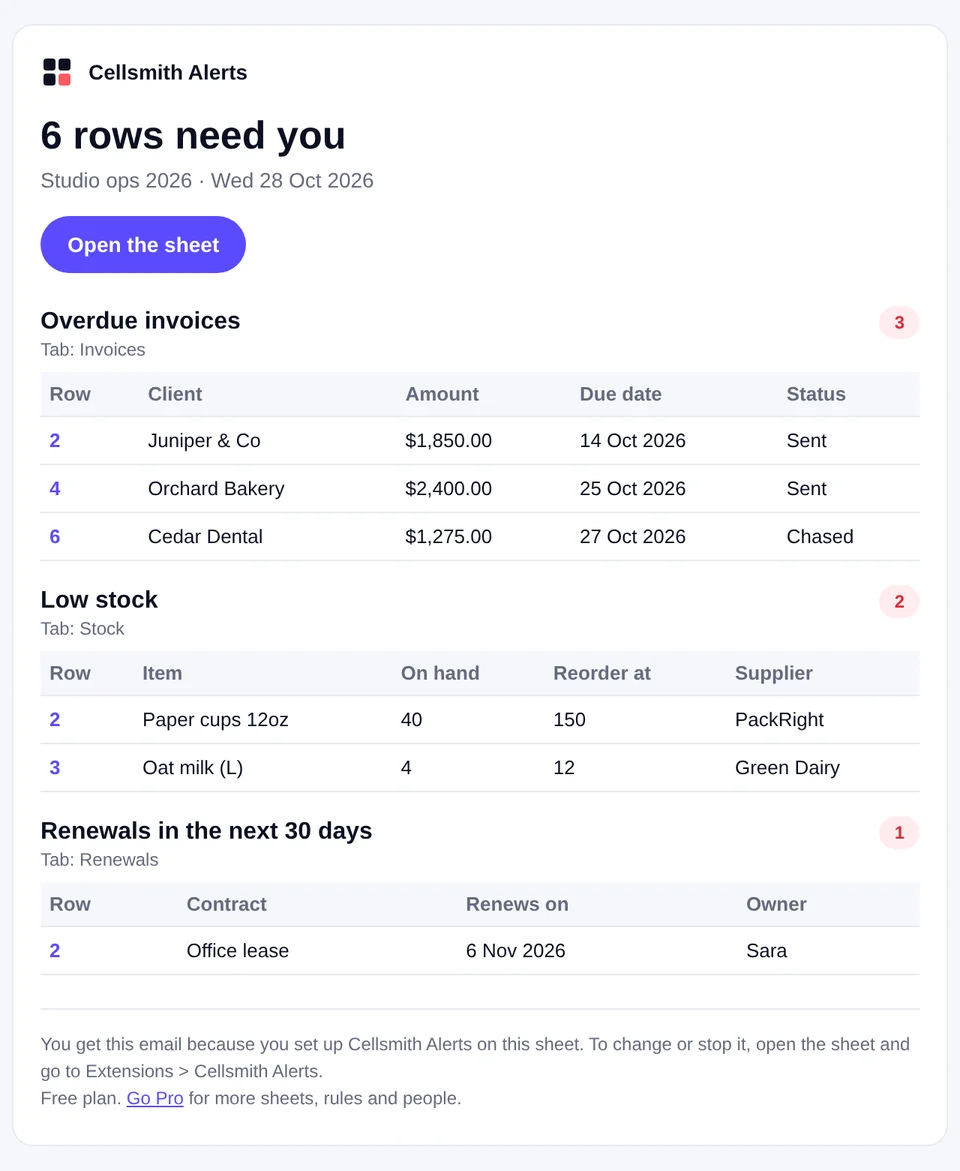
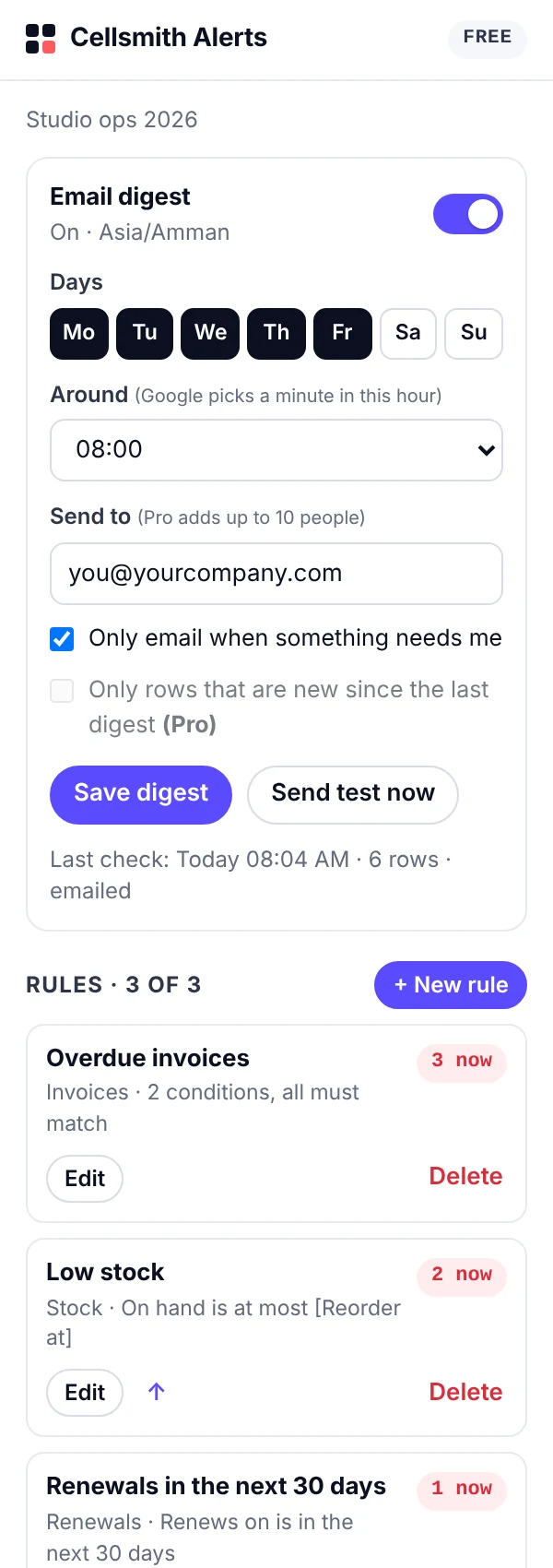
Set it once. Hear about problems first.
No formulas, no scripts, no new app to learn. It works on the sheet you already have.
If it lives in a sheet, it can tap you on the shoulder.
Overdue invoices
Chase money before it goes cold.
Status is not "Paid"
AND Due date is before today
Low stock
Reorder before the shelf is empty.
On hand is at most [Reorder at]Renewals coming up
Leases, insurance, subscriptions.
Renews on is in the next 30 daysTasks gone quiet
Catch work that stalled.
Status is "In progress"
AND Last update is more than 7 days ago
Over budget
Spot the line that ran away.
Spent is more than [Planned]Missing info
Rows nobody owns yet.
Owner is empty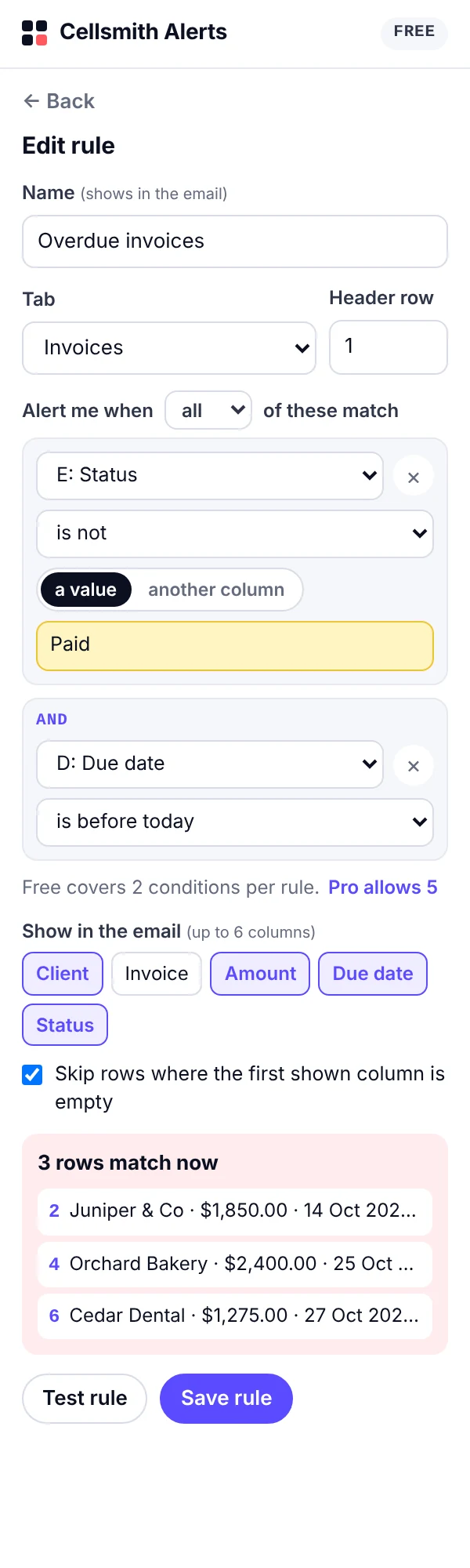
Messy sheets welcome.
Title rows above the headers, dates typed as text, numbers with currency signs or Arabic digits. It copes.
- Test before you trust itSee exactly which rows match, right in the sidebar, before anything is emailed.
- Compare two columnsOn hand against Reorder at, Spent against Planned. Not just fixed numbers.
- Every row links backTap a row number in the email and the sheet opens on that row.
- Your week, your daysSunday to Thursday, Monday to Friday, or every day. You choose the hour in your sheet's time zone.
- Only what's newWith Pro, get only the rows that started needing you since the last email.
Your sheet never leaves Google.
Free for one sheet. Pro for all of them.
Free
- 1 sheet
- 3 rules, 2 conditions each
- Digest to you
- Up to 10 rows per rule in each email
Cellsmith Pro
- Up to 20 sheets
- 25 rules per sheet, 5 conditions each
- Send to up to 10 people
- Only rows that are new since the last email
- Up to 50 rows per rule in each email
- Pro in every Cellsmith add-on, see all
Good questions.
Does it work when the sheet is closed?
Yes. Google runs the check on its own servers at the hour you pick, whether the sheet is open or not.
Who sends the email?
Your own Google account, under the name Cellsmith Alerts. Each digest is one email, so it stays well inside Google's daily email limits.
Does it work with Excel files?
It runs in Google Sheets. Open or import your Excel file in Google Sheets and it works the same way.
We share the sheet. Does everyone get alerts?
Each person sets up their own alerts, so nobody gets emails they did not ask for. On Pro, one person can send the digest to up to 10 people.
What if I rename a column?
The next email tells you which rule needs a look instead of sending wrong results. Open the rule, pick the new column, save.
How do I cancel Pro?
Cellsmith Pro is billed through Gumroad. Cancel from your Gumroad receipt or library and Pro stays on until the end of the period you paid for.
Need help?
Email us and a person answers within 2 working days. Tell us what the rule should catch and we will help you set it up.